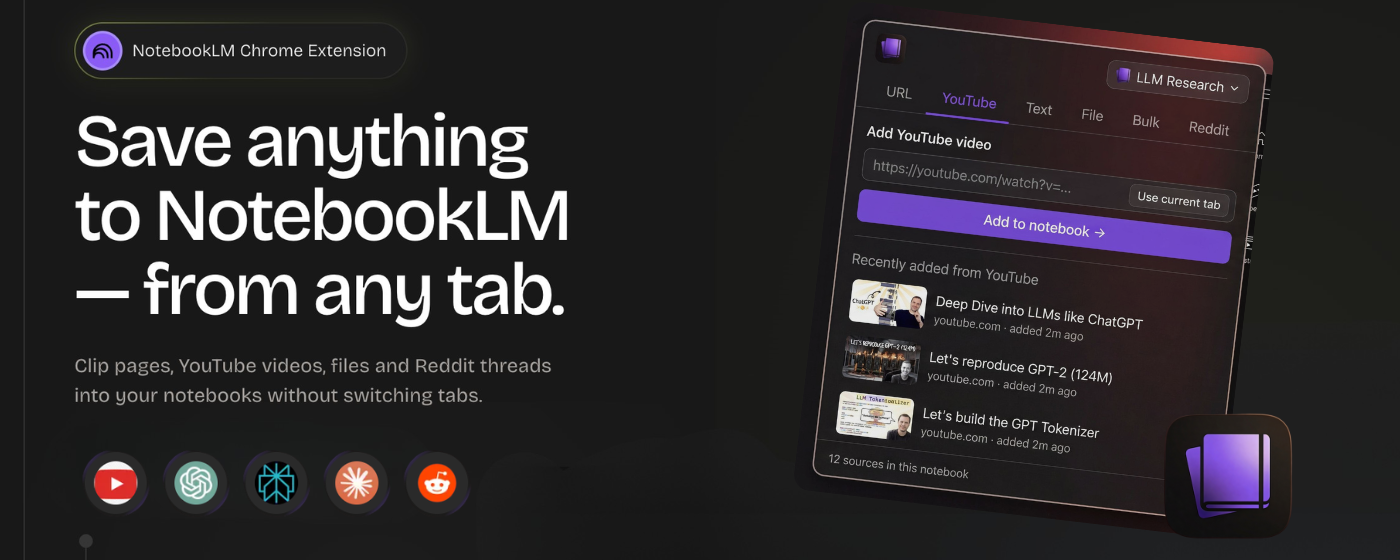
After a few months of building and testing, Kaptex is now available on the Chrome Web Store.
The short version: it's a Chrome extension that lets you add sources to NotebookLM from wherever you already are - no tab-switching, no copy-pasting, no interrupting your flow. A side panel and a floating button that sits on top of the sites you already use for research.
Here's what's in v1.
What's in v1
Floating "Add to notebook" button on the sites you already use
On Claude, ChatGPT, Perplexity, YouTube, and Reddit, Kaptex places a small button in the corner of the page. Click it, pick a notebook, hit Add.
The extension is context-aware — it knows you're on a ChatGPT page and extracts the full conversation as text, not a URL. On YouTube it sends the video link.
On Reddit it fetches the post and top comments, formatted so NotebookLM actually processes them correctly.
Side panel for everything else
For URL sources, text notes, file uploads, and YouTube links — without leaving whatever tab you're on. Includes a "use current tab" button so you don't have to touch the address bar.
Bulk add
Paste a list of URLs and send them all at once, with per-item status so you can see what went through. Or open the tabs panel and import every browser tab in one click. If a URL in the list is a YouTube link, it's automatically added as a YouTube source.
Clip selected text
Select text on any page, right-click, and "Add to Kaptex" clips it into the side panel ready to send as a text source.
Free and Pro
Free covers everything above with daily limits (10 captures per feature per day) - enough to run the full workflow and see how it fits.
Pro removes the limits, unlocks notebook creation from the panel, and handles bulk imports at any scale.
What I want to know
This is v1. It does what I built it to do, but the roadmap should be shaped by what actually frustrates people in their NotebookLM workflows — not just what I found frustrating in mine.
If you use NotebookLM regularly and give Kaptex a try, I'd genuinely like to hear:
What's missing or broken
What would make this actually fit your workflow vs. almost fitting it
What you expected the extension to do that it doesn't
You can reach me at @kraayenjon or reply here. No support ticket system, just a direct reply.
Install it here: Chrome Web Store → Kaptex
If it saves you the tab-switching I described above, it's doing its job.